
Independent Consultant
Computer Software/Engineering
Information Technology/IT
India
Bengali
English
Hindi
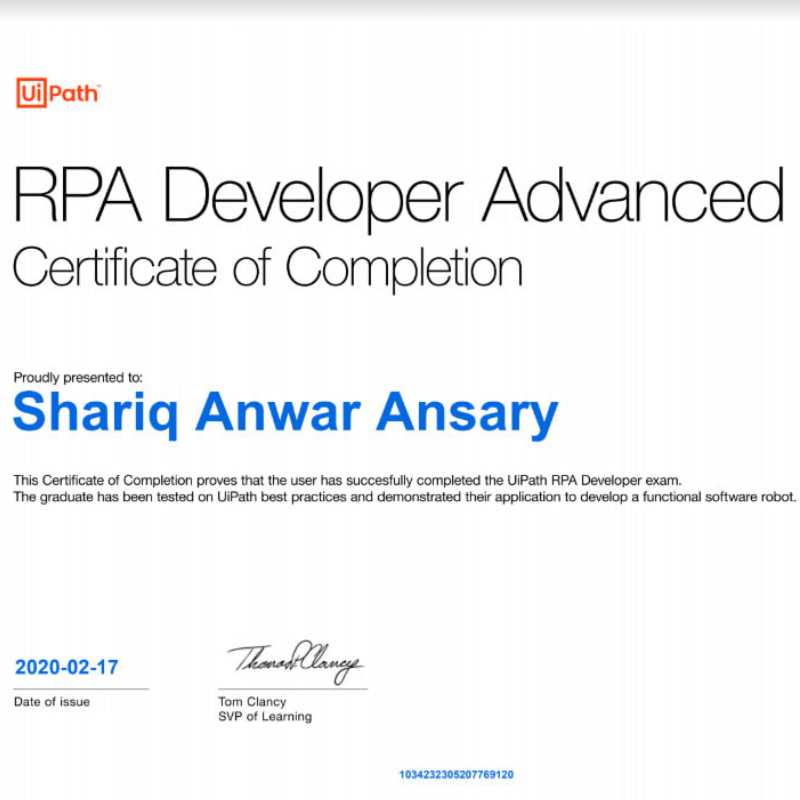
I have been working as an RPA Developer since 2017. I have around 3 years of working experience on both UiPath and BluePrism tools and in that time frame I have automated 16 processes.
I am currently employed in Cognizant. I joined Cognizant in a niche group called "The Orbit Shifters" for which you have to appear in several coding challenges prior to the joining the company and I cleared all of them which says I don't need to mention that I am very good at logical thinking and coding.
This process deals with the automation of validation of a software to deem it fit to add it to the software repository of the client. We have desktop automation as well as web automation as a check. Client provides a software repository called SIS(Software Installation System) for its employees from where they can install some basic software without having to raise a ticket for it. These software goes through some checks before getting added to the SIS. The objective is to make sure that its installation is not affecting any other software. The different software used for testing are -
I. Chrome - Open the chrome and launch a website to make sure browsium is working.
II. IE - Launch a website in IE to make sure browsium is working.
III. Cisco Jabber - Launch, sign in(if required) and ping a particular user.
IV. McAfee - Launch and update it.
V. WebEx - Launch and start a meeting.
VI. Outlook Email App - Launch and send out an email to self.
VII. Outlook Calender - Launch and add an appointment to it and then delete it.
VIII. MS Word - Launch a test file and update it and also print it.
IX. MS Powerpoint - Launch a test file and update it.
X. Adobe Reader - Launch and check if the pdf loaded properly.
XI. Outlook Web - Launch outlook web in IE. Send out an email to self. Read the email and delete it.
A status file is updated after each software test marking it as passed or failed which is sent to the business at the end of the process
This process deals with the automation of a certification. This bot has three different subprocess - creating a certificate, triggering the manual job and downloading the BI Report. Client sends out an email containing the list of certifications to be created along with other relevant details. Bot reads the email and opens up the certification link in Chrome and performs the steps for creation of certificate. Once it is done with the certificate creation it goes on to trigger the manual job, if some other job is already running then the bot triggers an email to the business saying another job already running. A triggered job usually takes more than 10 minutes to complete so in meantime the bot checks for any new email received for certificate creation, if there is any then the bot creates a certificate for it and then goes back to the manual run to check if it is complete. Once the job completes running the bot opens up another link to download a BI report and as the final step it sends out the report to the client.
This process deals with automating of a whitelisting process. A python script and an API call is used to perform this automation. Client sends out an email containing the list of the websites to be added to their whitelisting site. Bot reads that email and adds the websites names as queue items. A validation is done on the list to ensure that no duplicate entries are added. Another validation is done to make sure that the domain names are valid, the invalid ones are sent back to the client as the final report in an email. This validation is done by using a python script. The valid domain names are converted into IP addresses by using the same Python script. After we have the final list of the IP addresses the API call is made to update the whitelisting site and upon completion a status email is sent out to the business.
This process deals with automating the eCTD document for the life science client. A word document is generated by the client which contains data about some newly created word document (which contains some tables) that need to be organized and stored back in the same file based on some business rules. The file containing tables is read by the bot and is converted into a standard excel sheet using a template provided by the business. Bot uses a mapping to identify the correct template for each tables to be used. After this conversion, various filters are applied, some based on a keyword, and various comparisons are done on the basis of rules and the correct data is picked up from the file. The keyword might be in Japanese so the bot first checks if it is in English or not, if not, then it converts it to English using a Translate List. This final data is in English and is needed to be converted back to Japanese before writing it back into the original sheet. For the conversion of the English to Japanese words, a MedDRA dictionary and translation list is used.
This process deals with offboarding an employee after leaving the company. An excel file is received daily based on which a master report is updated after some validations. Upon reaching the final day the bot starts the offboarding. The employee in disabled in the Active Directory after which an email should be received confirming to process the next steps. Bot waits for a certain number of days after which it raises an incident request by going to the company’s portal for not having received the email. It waits for a certain number of days and sends out two more reminder for the email. When the email is received, bot raises a service request for the employee (which is the next step of offboarding) and then goes to few portals of the company and removes the employee’s accesses from some applications. If no email is received after a certain interval of time, the bot proceeds with the offboarding of all the applications followed by moving the user to a particular folder in the Active Directory and the user is disabled in an Exchange Management application.
The process dealt with manipulation of data in an excel sheet (called the dashboard). A PVA extract would come from the 3 rd party and based on the data in that sheet the Dashboard was to be downloaded from the sharepoint and updated. There were two more excel files used for mapping of the country to the country code of company and the other one was used for mapping of the right sheet in the dashboard for updating. Emails were sent out to parties whose records had been updated along with the data that were modified and an attachment of the PVA Extract. After this, an email requesting some listing files was sent to a team. The bot would wait for a response for a certain period of time and send reminder mails in certain intervals. Upon receiving a response, the dashboard was updated accordingly or the case was sent for manual processing.
The pharma client ops team put pdf files of different version in different folders and share the link containing the files in the email. The bot would pick up the unread email based on the sender’s name and read its body from which it would extract the link of the paths of the different versions of the pdfs. The bot would create a mapping of the files (old vs new) in an excel file and then it would pick up files names from the excel sheet one by one and feed them into a comparison software which will compare them. Then bot saves the compared pdf onto the path mentioned by the client. The bot creates a log file which it keeps on updating after each file is done processing and after all the files are processed it attaches the log file in an email and send it to the ops team
The pharma client ops team put multiple bulk pdf files in the shared folder and share the link of the files via email. The bot would pick up the unread email based on the sender’s name and read its body from which it would extract the link of the path of the bulk pdfs. The bot would then open the link and download all the pdf files present in the SharePoint folder. After downloading it the bot would feed the files into a pdf reader and open them one by one. When a pdf is opened, the bot will search for a keyword and pick up a value relative to it and then search for patient ID and pick up the value of it and create a bookmark of those pages and name it with the values picked up. The bot will repeat this until it reaches the end of file. After the bot has created all the bookmarks, it will split the pdf based on these higher level bookmarks and then upload on them on another link mentioned in the email. The bot creates a log file which it keeps on updating after each file is done processing and after all the files are processed it attaches the log file in an email and send it to the ops team.
This process dealt with the semi-automation of the Creation of Task in CRM(Microsoft). Letter activity was added manually by the ops team, then the BOT was designed to read each letter activity and then follow out some steps provided by the client (depending on the values in each letter activity) to create the task.
This process was to archive some files. The insurance client would send an email with a particular case number in it to be used in the process. The bot would open the email and read the case number from it. This BOT worked in two phases. 1. The BOT was designed to open a dashboard and then search for the particular case number, then open it and download some particular files based on some rules and save it in a particular location. 2. After the above step the BOT would open SDC (Citrix environment), fetch login credentials from the “windows credential manager” and login, browse to the mentioned page by using hot keys and upload the downloaded files mentioned in the above step
This process deals with the automation of fetching task details created by business and running
the job in an application “PuTTY”. This automation consists of API Call and a terminal
application called “PuTTY”.
Client creates a task and an auto-generated email is sent out to the bot machine. The bot reads
the email from outlook, extract the Task ID and the Due Date and add each TaskID to the
Queue. The API call is made to extract all the relevant details from the Task ID and then add
the each Job (one or more in each Task ID) in another Queue. Once all the unique jobs are
added in the Queue the bot starts running the Jobs in PuTTY, one after another.
When all the jobs in the Queue are exhausted, at the end of the day the bot generates an Audit
Report and send it to the business.
My roles as an RPA Developer involves the following -
I completed my B. Tech in IT from Future Institute of Engineering and Management, Kolkata, India with 8.37 DGPA.
 Login / Register